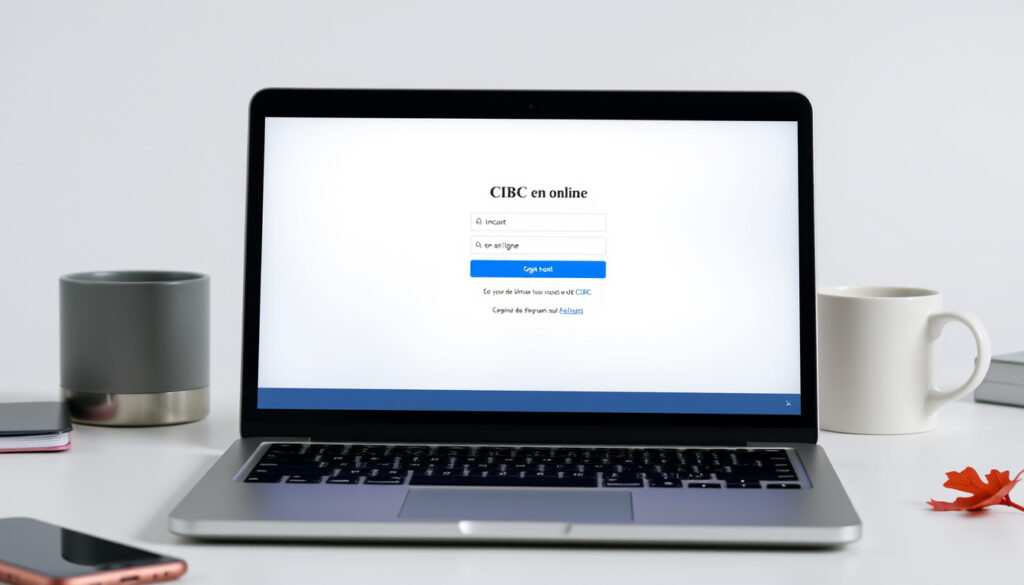
CIBC en ligne français: How to Access French Online Banking
Few things feel as satisfying as logging into your bank in your own language. For French-speaking Canadians, CIBC’s online banking platform offers that comfort — and it’s surprisingly simple to set up.
Free online banking: Yes ·
24/7 access: Yes ·
Secure login with two-factor authentication: Yes ·
Supports French language: Yes ·
New user registration requires a CIBC debit or credit card: Yes
Quick snapshot
- CIBC offers online banking entirely in French (CIBC – Services bancaires en ligne (official site))
- Registration requires a valid CIBC debit or credit card (CIBC – Registration guide (official))
- Mobile app is available for iPhone, Android, and Apple Watch (CIBC – App availability (official))
- Online banking is free of monthly fees (CIBC – New sign-on process (official))
- Exact number of French-speaking CIBC online banking users
- Specific daily mobile deposit limits
- Whether all third-party partner services (e.g., credit card rewards portals) are fully available in French
- Future availability of voice commands in the French app
- CIBC introduced a new two-screen sign-on experience with stronger passwords (CIBC – New sign-on process (official))
- CIBC continues to enhance digital banking security and French-language support (CIBC – Online banking overview (official))
Five key facts about CIBC online banking in French — one pattern: the service is fully bilingual but requires a CIBC card to start.
| Feature | Details |
|---|---|
| Online banking availability | 24/7 |
| French language support | Yes — entire site and app |
| Mobile app | Yes (iOS, Android, Apple Watch) |
| Security features | Two-factor authentication, encryption, six-digit verification codes |
| Customer service in French | Yes, 24/7 phone and online chat |
| Registration requirement | Valid CIBC debit or credit card |
| Replacement card re-registration | Not required — sign in with new card number and existing password |
| Fingerprint sign-in | Supported on compatible mobile devices |
| Apple Watch support | Yes — quick balance checks and transactions |
How to access CIBC online banking in French?
The login page is your gateway to all French-language banking. CIBC’s new two-screen sign-on uses stronger passwords and a verification code, making it harder for anyone else to access your account — even if they have your card number.
Step-by-step login process
- Visit cibc.com/fr and click “Connexion” (Login).
- Enter your CIBC card number and click “Suivant” (Next). (CIBC – Sign-on process (official))
- On the second screen, enter your password and any required verification code sent via text, email, or phone call. (CIBC – Verification code security (official))
- Select “Français” if not already selected, then click “Ouvrir la session” (Sign in).
Forgot password
- On the login page, click “Mot de passe oublié?” (Forgot password).
- Enter your card number and follow the prompts to reset via verification code. (CIBC – Online services (official))
- Choose a strong password — CIBC now requires longer, more complex passwords. (CIBC – New sign-on experience (official))
Language selection
- CIBC’s online banking automatically detects browser language settings, but you can toggle between English and French at any time by clicking the language menu in the top-right corner. (CIBC – Language options (official))
- Once set to French, all menus, transaction labels, and help pages appear in French.
The implication: CIBC has made language switching a one-click affair — no need to re-register or create a separate profile.
How to use the CIBC online banking app in French?
The app gives you the same full banking control as the website, but fingerprint sign-in means you can skip typing passwords. That convenience requires a compatible device and enrolling your fingerprint in your phone’s settings first.
Downloading the app
- Go to the Apple App Store (iPhone) or Google Play Store (Android) and search “CIBC Mobile Banking”.
- Download the free app. It also works on Apple Watch. (CIBC – App availability (official))
Setting up the app in French
- Open the app and select “Français” during initial setup. (CIBC – Language selection (official))
- Sign in with your existing online banking credentials (card number and password).
Using fingerprint login
- After signing in, go to Settings and enable “Empreinte digitale” (Fingerprint). (CIBC – Fingerprint sign-in (official))
- Each time you open the app, place your finger on the sensor — no password needed for basic operations.
The pattern: Biometric login speeds up access while maintaining security, but for sensitive transactions like wire transfers, you’ll still need a verification code.
How to register for CIBC online banking?
Three things you need, one pattern: a CIBC card, a phone for verification, and a few minutes.
What you need to register
- A valid CIBC debit or credit card. (CIBC – Registration requirements (official))
- A Canadian phone number that can receive text messages or calls.
- Your email address (optional but recommended for alerts).
Registration steps
- Go to cibc.com/fr/…/register and click “S’inscrire” (Register).
- Enter your CIBC card number and the expiry date.
- Choose how to receive a verification code: text, email, or phone call. (CIBC (YouTube) – French registration tutorial)
- Enter the six-digit code you receive. (CIBC – Verification code process (official))
- Create a username and a strong password (at least 8 characters with a mix of letters, numbers, and symbols).
- Accept the terms and conditions.
Activating your online banking
- Once registration is complete, you can immediately sign in on any device. (CIBC – One registration, all devices (official))
- If you receive a replacement debit card, you do not need to re-register — just use the new card number with your existing password. (CIBC – Replacement card policy (official))
What this means: The entire process takes under 10 minutes, and you only have to do it once — even if your plastic card changes.
How to manage your CIBC Costco Mastercard online?
While CIBC’s online banking fully supports the Costco Mastercard in French, the Costco.ca rewards portal itself may default to English. Keep an eye on language settings when redeeming cash back.
CIBC Costco Mastercard features
- Earn cash back on gas (3%), restaurants (3%), and Costco purchases (2%) — all tracked in French on the CIBC site. (CIBC – Costco Mastercard details (official))
- No annual fee.
How to view transactions
- Sign in to CIBC online banking, click “Mes cartes” (My Cards), and select your Costco Mastercard.
- All transactions appear in French with merchant names and amounts.
Making payments
- From the card page, click “Effectuer un paiement” (Make a payment).
- Choose the amount and payment date — funds are typically posted within one business day. (CIBC – Payment processing (official))
The trade-off: You get full French-language management for your Costco Mastercard through CIBC, but the actual rewards portal on Costco’s site may not be bilingual — check before you redeem.
How to use CIBC online banking for business?
Business banking services
- CIBC offers dedicated business online banking with features such as wire transfers, payroll management, and multi-user access. (CIBC – Business services (official))
- The business platform is also available in French, with the same language toggle as personal banking.
Managing multiple accounts
- From the dashboard, you can view all business and personal accounts in one place.
- Rename accounts to track purposes (e.g., “Compte de paie” for payroll).
Business support in French
- CIBC business customer service is available 24/7 in French by phone and online chat. (CIBC – Customer support (official))
- For complex issues, you can also visit a CIBC branch that offers French-speaking advisors.
The pattern: Business banking mirrors the personal experience — same French interface, same security measures — but with added tools for multi-user access and larger transactions.
Clarity check
Confirmed facts
- CIBC offers French-language online banking and mobile app. (CIBC (official))
- Registration requires a CIBC debit or credit card. (CIBC (official))
- Online banking is free with no monthly fees. (CIBC (official))
- Security includes two-factor authentication and verification codes. (CIBC (official))
What’s unclear
- Exact number of French-speaking users on the platform
- Daily mobile cheque deposit limits
- Whether all partner merchant sites display in French when linking accounts
- Future availability of voice commands in the French app
Do your banking as you like, whether at a CIBC branch, by phone, or online.
CIBC – Personal banking services page (official Canadian bank)
To register for mobile and online banking as a new customer, you will need a CIBC debit or credit card.
CIBC – Registration guide (official)
For French-speaking Canadians who want full control over their finances without language friction, CIBC’s online banking delivers a solid, secure experience. The trade-off? You’ll need to verify your identity with a CIBC card and stay on top of security practices — but once set up, the entire platform works in French, from login to business wire transfers.
Related reading: Services bancaires en ligne · Utiliser Services bancaires CIBC en direct
For those who prefer English, the CIBC online banking guide provides a comprehensive walkthrough of login, registration, and app features.
Frequently asked questions
How do I reset my CIBC online banking password?
Go to the login page, click “Mot de passe oublié?”, enter your card number, and follow the verification code process. You can choose to receive the code by text, email, or phone call. (CIBC – Online services (official))
Is CIBC online banking secure?
Yes. CIBC uses encryption, two-factor authentication, and six-digit verification codes for sensitive transactions. They also recommend using a trusted computer, keeping your browser updated, and never leaving your session unattended. (CIBC – Security tips (official))
Can I deposit cheques using the CIBC mobile app?
Yes. The CIBC mobile app supports mobile cheque deposit. Open the app, select “Dépôt de chèque” (Cheque deposit), and follow the on-screen instructions. Limits apply. (CIBC – Mobile deposit (official))
How do I contact CIBC support in French?
Call 1-800-465-2422 (24/7) and request French service. You can also use the online chat feature on cibc.com in French. (CIBC – Customer service (official))
What are the system requirements for CIBC online banking?
CIBC recommends using the latest version of Chrome, Firefox, Safari, or Edge. The mobile app requires iOS 13+ or Android 8+. (CIBC – System requirements (official))
How do I set up account alerts?
Sign in to online banking, go to “Alertes” (Alerts) in the settings menu, and choose which notifications you want — such as low balance, large transaction, or payment due dates. (CIBC – Alert setup (official))
More related posts
 Real Madrid – Celta Vigo Composition – Confirmed Lineups and Team News
 Westin Harbour Castle Toronto: Amenities, Location & Reviews
 Mitch Hedberg’s TV & Film Cameos: That 70s Show & Lords of Dogtown
 Daft Punk: Why They Broke Up and Kept Their Helmets On
 Nick Kroll: Biography, Family, and Big Mouth
 Chrishell Stause: G Flip, Net Worth, Selling Sunset Exit
 William Hurt: Life, Career, Co-Stars, and Sobriety
 What Time Is It in Milan – CET/CEST Zone and DST Guide